A mobile mechanic should set up a Google Business Profile as a service-area business: hide your street address if customers don't come to you, list the cities or areas you serve, choose accurate categories, and fill out services, hours, photos and your description. Then keep it active with reviews, photos and updates. A complete, active profile is one of the strongest local search signals you control.
Step 1: Set up as a service-area business
When you create or edit the profile:
- Don't show your home address if customers don't visit you. Google's guidelines say service-area businesses that don't serve customers at their address should hide it
- Add service areas: the cities, ZIP codes or regions you actually cover. Google lets you list up to 20
- Use a real address for verification. P.O. boxes and virtual offices aren't allowed
Step 2: Pick the right categories
Your primary category matters most. Choose the closest fit (options like "Mechanic" or "Auto repair shop", and specific choices for trucks or diesel if that's your work), then add relevant secondary categories. Don't stuff keywords into your business name. It breaks the guidelines and can get the profile suspended.
Step 3: Fill out everything
- Services: list each one (brake repair, battery replacement, diagnostics, oil change, pre-purchase inspection)
- Description: what you do, where you go, what makes you different (mobile, warranty, certifications)
- Hours: including any after-hours or weekend availability
- Phone and website
- Attributes that apply
Step 4: Photos
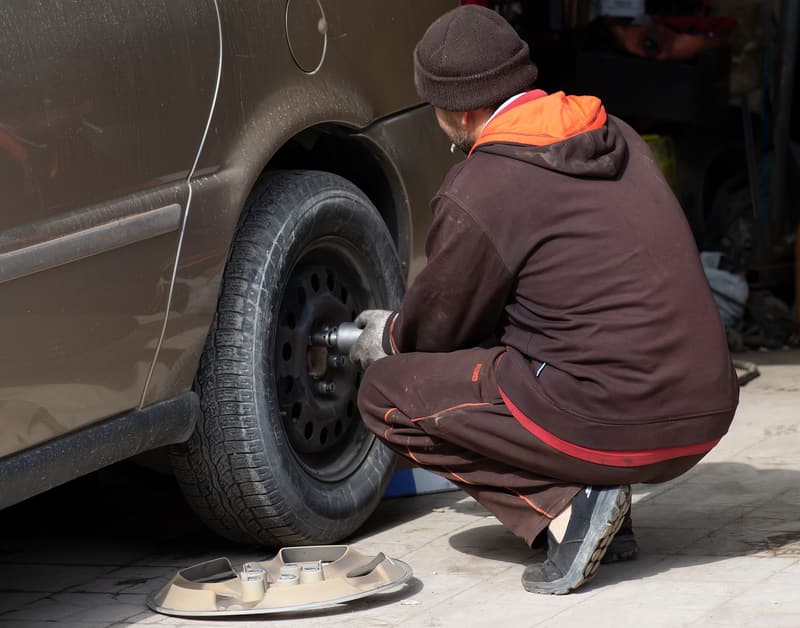
Upload real photos: your van, you at work, before-and-after shots, tools. Real photos build more trust than stock images. Add new ones regularly.
Step 5: Reviews
Reviews influence both ranking and whether people call. Ask every happy customer, and reply to every review, good or bad. Our guide to getting more reviews has scripts and timing tips.
Step 6: Keep it active
- Post updates or offers
- Answer questions in the Q&A
- Keep hours current, including holidays
- Add photos from recent jobs
Beyond Google
Your profile works best alongside consistent listings elsewhere. Make sure your business name, phone and website match everywhere, including directories like Mobile Mechanic Near Me (add your business free). Our guide to local SEO for mobile mechanics explains why consistency matters, and mobile mechanic marketing ideas covers the rest of your marketing.
Frequently asked questions
Can I list my home address?
Only if customers actually come there. Otherwise, hide it and use service areas.
Why isn't my profile showing up?
Common reasons: incomplete profile, few reviews, a service area far from the searcher, or a suspension. Strong competition matters too.
Can I have more than one profile?
Only one per business location. Duplicates or fake locations can lead to suspension.
Want help?
Our digital marketing services include local SEO and profile work for mobile mechanics.
List your business for free
Create a verified listing on Mobile Mechanic Near Me and give the customers in your area one more place to find your business name, address, phone and website.